Every business reaches a point where the hosting decision stops being a technical question and starts being a business one.
Maybe your website has been growing steadily and you’ve started noticing that pages take a little longer to load than they used to. Maybe your developer mentioned something about server resources running thin. Maybe you’re simply planning ahead, trying to make sure the infrastructure you choose today doesn’t become the bottleneck that slows you down six months from now.
Whatever brought you here, you’re facing the same decision that thousands of growing businesses face every year, VPS hosting or a dedicated server?
On the surface, it seems like a straightforward comparison. VPS is cheaper, dedicated is faster, pick one and move on. But that framing misses almost everything that actually matters when you’re making a decision that will directly affect your website’s performance, your customers’ experience, and your business’s ability to scale without interruption.
The truth is that both options are genuinely excellent in the right context, for the right business, at the right stage of growth. A well-configured VPS can comfortably handle hundreds of thousands of monthly visitors and run complex applications without breaking a sweat. A dedicated server, on the other hand, offers a level of performance consistency, security control, and hardware flexibility that no virtualized environment can fully replicate and for businesses that have reached a certain scale, that difference stops being theoretical and starts showing up directly in revenue.
What most comparison articles get wrong is treating this as a permanent either-or choice. It isn’t. The businesses that manage their hosting infrastructure most effectively tend to start on VPS, understand exactly what they’re getting, monitor their growth carefully, and make the move to dedicated hosting at precisely the right moment, not too early when it’s an unnecessary expense, and not too late when performance problems are already costing them customers.
This guide is built to help you do exactly that. We’re going to cover how VPS virtualization actually works under the hood, the real performance numbers that separate these two hosting types, a honest breakdown of what you’ll actually pay, and the specific warning signs that tell you it’s time to upgrade. By the time you finish reading, you won’t just know the difference between VPS hosting and a dedicated server, you’ll know exactly which one your business needs right now.
Let’s get into it.
- What is VPS Hosting?
- How Does VPS Hosting Actually Work? (Technology Behind It)
- Noisy Neighbor Problem in VPS Hosting
- What is Dedicated Server Hosting?
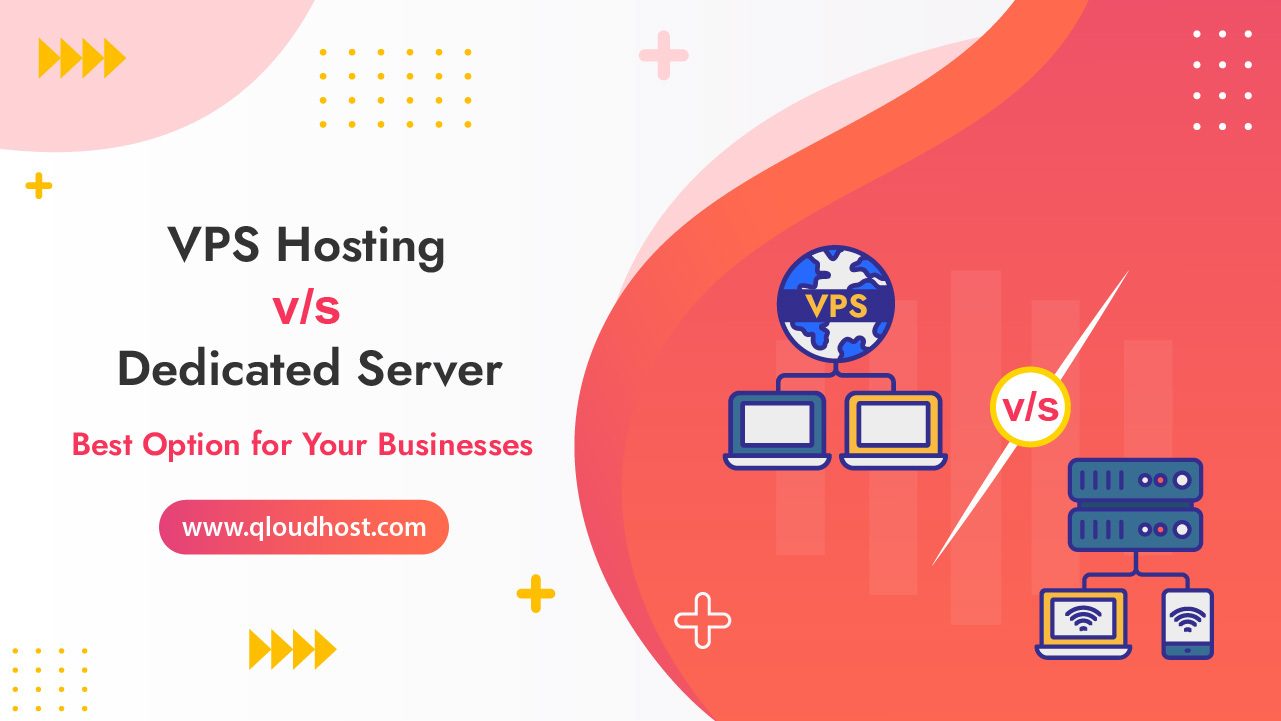
- VPS Hosting vs Dedicated Server: A Detailed Comparison
- VPS Hosting vs Dedicated Server: Performance Comparison (Real Numbers)
- VPS Hosting vs Dedicated Server: Cost Breakdown (What You Actually Pay)
- VPS Hosting vs Dedicated Server: Which is Best for Businesses?
- 5 Signs You Need to Upgrade from VPS to Dedicated Server
- Sign 1: Your Traffic Has Grown But Your Server Performance Hasn’t Kept Up
- Sign 2: You’re Experiencing Unpredictable Performance Spikes You Can’t Explain
- Sign 3: Security and Compliance Requirements Have Outgrown a Shared Environment
- Sign 4: Your Business Has Specific Hardware Requirements
- Sign 5: Downtime Has Started Costing You Real Money
- Why Choose QloudHost for VPS Hosting and Dedicated Servers?
- FAQs – VPS Hosting vs Dedicated Server
- Conclusion – VPS Hosting vs Dedicated Server
What is VPS Hosting?
Virtual Private Server (VPS) Hosting is a type of hosting where a physical server is divided into multiple virtual servers. Each VPS operates independently with its own resources, operating system, and control.

Key Features of VPS Hosting:
Best Use Cases for VPS Hosting:
Also Read: Best VPS Hosting in Europe
How Does VPS Hosting Actually Work? (Technology Behind It)
Most hosting guides just tell you that VPS stands for Virtual Private Server and move on. But if you actually understand what’s happening under the hood, it becomes much easier to make the right hosting decision — and to understand why VPS behaves the way it does, including its limitations.
So let’s talk about what’s actually going on when you spin up a VPS.
It All Starts With a Hypervisor
A hypervisor is a piece of software that sits between the physical hardware and the virtual machines running on top of it. Its entire job is to divide one physical server’s resources — CPU, RAM, storage, network — into multiple isolated slices, and then hand each slice to a separate virtual machine.
Think of it like this: imagine a large office building. The building itself is the physical server — one structure with a fixed amount of space, electricity, and infrastructure. The hypervisor is the property management company that divides that building into individual offices and rents each one out separately. Every tenant gets their own locked space, their own utilities allocation, and their own key. They can’t walk into each other’s offices. But they’re all still in the same building, sharing the same elevator, the same parking lot, and the same electrical grid.
Your VPS is one of those offices.
Two Main Types of Hypervisors
Not all VPS hosting is built the same way, and the type of hypervisor a provider uses actually matters for performance and stability.
- Type 1 hypervisors (also called bare-metal hypervisors) run directly on the physical hardware, with no operating system in between. They are fast, efficient, and used by serious hosting providers. KVM (Kernel-based Virtual Machine) is the most common example — it’s what most quality VPS providers use today, including providers running Linux-based infrastructure. VMware ESXi is another Type 1 hypervisor commonly used in enterprise environments.
- Type 2 hypervisors run on top of a host operating system, like software running on a regular computer. They introduce more overhead and are generally not used in production hosting environments. You’d typically see these in desktop virtualization tools like VirtualBox.
When you’re evaluating a VPS provider, KVM-based hosting is generally what you want. It gives each virtual machine direct access to hardware resources and provides strong isolation between tenants.
What “Isolated Environment” Actually Means
When hosting providers say your VPS is in an “isolated environment,” here’s what that means in practice:
Your VPS has its own kernel (in most KVM setups), its own operating system, its own file system, and its own process space. A process running on your VPS cannot see or interact with processes running on another VPS on the same machine. If someone else’s VPS crashes, yours keeps running. If they install malware, it doesn’t automatically spread to your environment.
This is fundamentally different from shared hosting, where hundreds of websites run in the same operating system environment and a single compromised account can sometimes affect others.
However — and this is important — the isolation is at the software level. The physical hardware is still shared. CPU time is divided by the hypervisor’s scheduler. RAM is allocated but the physical memory chips are shared. Storage I/O goes through the same physical drives or SAN. This is why the noisy neighbor problem we discussed earlier still exists even in a properly isolated VPS environment.
What Happens When You Reboot Your VPS
Here’s something that helps make virtualization feel more concrete: when you reboot your VPS, you’re not rebooting the physical server. You’re rebooting your virtual machine. The hypervisor keeps running, all the other VPS instances on that machine stay online, and your virtual machine goes through its own restart cycle completely independently.
This is also why live migrations are possible — a hypervisor can move a running virtual machine from one physical host to another without shutting it down, because the VM is just a software abstraction that can be picked up and placed somewhere else.
How a Dedicated Server Is Different at the Hardware Level
On a dedicated server, there is no hypervisor in the picture. You get direct, unmediated access to the physical hardware. Your operating system talks directly to the CPU, RAM, and storage controller without any virtualization layer in between.
This has two major practical consequences:
First, performance is higher and more consistent. There’s no hypervisor overhead, no scheduler dividing CPU time between multiple VMs, and no shared I/O bottlenecks. The server does exactly what you tell it to do, as fast as the hardware allows.
Second, you have full control over the hardware configuration. You can choose specific CPU models, configure BIOS/UEFI settings, set up hardware RAID, install custom network cards, and do things that are simply not possible in a virtualized environment. For applications that require specific hardware features — like certain database engines that benefit from NUMA architecture awareness, or applications that need hardware security modules — this matters a lot.
Noisy Neighbor Problem in VPS Hosting
One thing most VPS hosting articles never talk about — but every experienced developer has dealt with — is the noisy neighbor problem.
Here’s the situation: you’re on a VPS plan, your website is running fine, and then out of nowhere your page load times spike, your queries slow down, and your users start complaining. You didn’t change anything. So what happened?
Another customer on the same physical server did.
Even though VPS environments are isolated — meaning each virtual server has its own RAM and CPU allocation on paper, the underlying physical hardware is still shared.
When one tenant on that server suddenly starts running a heavy database operation, a large file transfer, or gets hit with a traffic spike, it can consume more than its fair share of I/O bandwidth, network throughput, or CPU cycles. The hypervisor tries to enforce limits, but under heavy load, those boundaries aren’t always perfect.
The result? Your VPS feels sluggish even though nothing on your end changed. That’s your noisy neighbor.
How often does this actually happen?
More than hosting companies like to admit. On lower-tier or oversold VPS plans — where providers cram as many virtual servers as possible onto one machine to maximize profit, noisy neighbor issues are genuinely common.
On premium VPS plans with strict resource guarantees (especially NVMe SSD-based VPS with dedicated CPU cores), it’s far less of a problem.
Does a Dedicated Server fix this completely?
Yes, and this is one of the strongest arguments for going dedicated. When you’re on a dedicated server, you ARE the only tenant.
There’s no one else on that machine. Every last CPU cycle, every byte of RAM, every IOPS of disk throughput belongs to you. No shared I/O bus, no network contention from other customers. The noisy neighbor problem simply doesn’t exist.
What should you look for if you want to stay on VPS?
If you’re not ready to move to a dedicated server yet, look for these things when choosing a VPS plan:
- Dedicated CPU cores (not shared vCPUs) — this alone eliminates most CPU-related noisy neighbor issues
- NVMe SSD storage with guaranteed IOPS — slower SAS/SATA shared storage is where the problem hits hardest
- Low overselling ratio — premium providers cap the number of VMs per physical host; budget providers don’t
- Network port guarantees — a guaranteed 1Gbps port is very different from a shared 10Gbps connection split 50 ways
The noisy neighbor problem is one of those things you only fully appreciate after you’ve experienced it once. It’s also one of the main reasons growing businesses eventually make the jump from VPS to dedicated hosting.
What is Dedicated Server Hosting?

Dedicated Server Hosting provides an entire physical server exclusively for a single user. This ensures unmatched performance, security, and control, making it ideal for high-demand applications and large businesses.
Key Features of Dedicated Server Hosting:
Best Use Cases for Dedicated Servers:
VPS Hosting vs Dedicated Server: A Detailed Comparison
| Feature | VPS Hosting | Dedicated Server Hosting |
|---|---|---|
| Cost | Affordable for small to medium budgets | Higher cost due to exclusive resources |
| Performance | Excellent for medium traffic levels | Superior performance for high traffic |
| Scalability | Easily scalable | Limited scalability (requires upgrades) |
| Security | Highly secure in isolated environments | Maximum security due to no sharing |
| Control | Root access with limited hardware control | Full control over hardware and software |
VPS Hosting vs Dedicated Server: Performance Comparison (Real Numbers)
Every hosting provider will tell you their servers are “blazing fast” and offer “unmatched performance.” That language means nothing without actual numbers behind it. So let’s talk about what real-world performance looks like when you put VPS and dedicated servers side by side.
CPU Performance
CPU performance is where the gap between VPS and dedicated hosting shows up most clearly — especially under sustained load.
On a typical shared VPS plan, your virtual machine gets a certain number of vCPUs (virtual CPUs). These are not physical cores. They’re time-sliced allocations of physical CPU cores, managed by the hypervisor. Under light load, a vCPU performs close to a real core. Under heavy load — when multiple VMs on the same host are competing for CPU time — performance can drop significantly.
Here’s what that looks like in practice:
| Scenario | Shared VPS (4 vCPU) | Dedicated CPU VPS (4 cores) | Dedicated Server (4 cores) |
|---|---|---|---|
| Light load (idle) | ~85–95% of bare metal | ~90–98% of bare metal | 100% (baseline) |
| Medium load (50% CPU) | ~70–85% of bare metal | ~88–95% of bare metal | 100% |
| Heavy load (90%+ CPU) | ~40–65% of bare metal | ~80–90% of bare metal | 100% |
| Sustained load (hours) | Highly variable | Consistent | Fully consistent |
The story here is consistency. A dedicated server doesn’t just perform better on average — it performs the same way at 2am when traffic is low and at 2pm when every resource is maxed out. VPS performance, particularly on shared vCPU plans, is inherently unpredictable.
RAM Performance
RAM allocation on VPS is generally reliable — if your plan says 8GB, you get 8GB. The issue is memory bandwidth, not capacity. Multiple VMs sharing the same physical memory bus can create contention, particularly during memory-intensive operations like large database queries, in-memory caching, or compiling code.
On a dedicated server, your application has exclusive access to the entire memory bus. For applications like Redis, Elasticsearch, or large MySQL databases that rely heavily on in-memory operations, this makes a measurable difference.
Storage I/O — Where the Biggest Real-World Difference Lives
For most web applications, storage I/O is where you’ll feel the performance gap more than anywhere else. Database reads and writes, file uploads, log processing — all of these depend on how fast data can move between storage and memory.
Here’s a realistic comparison based on typical NVMe-based infrastructure:
| Storage Metric | Budget VPS (SATA SSD) | Premium VPS (NVMe) | Dedicated Server (NVMe) |
|---|---|---|---|
| Sequential Read | 300–500 MB/s | 1,500–3,000 MB/s | 3,000–7,000 MB/s |
| Sequential Write | 200–400 MB/s | 1,000–2,500 MB/s | 2,500–6,000 MB/s |
| Random Read IOPS | 10,000–30,000 | 50,000–200,000 | 200,000–500,000+ |
| Random Write IOPS | 8,000–20,000 | 40,000–150,000 | 150,000–400,000+ |
| Latency | 0.5–2ms | 0.1–0.3ms | 0.05–0.15ms |
For a standard business website or blog, even budget VPS storage is more than fast enough. But for a high-traffic e-commerce store running frequent database queries, or a SaaS application handling thousands of concurrent users, that IOPS difference between a premium VPS and a dedicated server is the difference between a smooth experience and a bottleneck.
Network Performance
Network throughput on VPS is almost always shared. Your VPS might be on a 10Gbps uplink, but that uplink is shared between every VM on that physical host. In practice, most VPS plans deliver consistent performance in the 500Mbps to 1Gbps range for burst traffic, with sustained throughput often lower.
Dedicated servers typically come with a dedicated port — meaning that 1Gbps or 10Gbps connection belongs entirely to you. No sharing, no contention from other tenants during your traffic spikes.
| Network Metric | Shared VPS | Premium VPS | Dedicated Server |
|---|---|---|---|
| Allocated bandwidth | Shared 1–10Gbps uplink | Shared 10Gbps uplink | Dedicated 1Gbps port |
| Typical burst speed | 200–500 Mbps | 500–1000 Mbps | 1000 Mbps (full port) |
| Latency (within DC) | 1–5ms | 0.5–2ms | 0.1–0.5ms |
| Consistency under load | Variable | Moderate | High |
Page Load Time — What This Means for Your Website
All of these numbers eventually translate into one thing your users actually experience: page load time.
A well-optimized website on a quality VPS can absolutely load in under one second. But under traffic spikes, under database-heavy operations, or on an oversold VPS plan, load times can jump to 3–5 seconds or more. Google considers anything above 3 seconds on mobile to be a poor experience, and it factors Core Web Vitals into search rankings.
On a properly configured dedicated server with NVMe storage and a dedicated network port, page load times stay consistent regardless of traffic volume. That consistency is what most businesses are actually paying for — not just raw speed, but predictable speed.
If your application can tolerate occasional slowdowns and your traffic is reasonably predictable, a premium VPS delivers excellent performance for the price. But if your business depends on consistent sub-second response times, handles real-time transactions, or experiences unpredictable traffic spikes — a dedicated server is the only option that gives you genuine performance guarantees.
VPS Hosting vs Dedicated Server: Cost Breakdown (What You Actually Pay)
Price is usually the first thing people look at — and it should be, because the difference between VPS and dedicated hosting isn’t just a little gap. It can be anywhere from 5x to 20x depending on what you’re comparing.
But raw monthly price is only part of the story. Let’s break it down properly.
Monthly Pricing: What to Expect in 2026
| Plan Type | Entry Level | Mid Range | High End |
|---|---|---|---|
| Shared VPS | $17/mo | $43/mo | $52/mo |
| Premium VPS (Dedicated CPU) | $18/mo | $46/mo | $55/mo |
| Entry Dedicated Server | $167/mo | $193/mo | $264/mo |
| Enterprise Dedicated Server | $291/mo | $349/mo | $448+/mo |
These are realistic market ranges. The exact price depends on the provider, data center location, hardware generation, and whether the plan is managed or unmanaged.
What Does “Managed” Add to the Cost?
Both VPS and dedicated servers come in two flavors — managed and unmanaged. Unmanaged means you get the raw server and you handle everything yourself: OS installation, security patches, software setup, troubleshooting. Managed means the hosting provider takes care of all of that for you.
Managed plans typically add $30 to $100 per month on top of the base hardware cost. For businesses without a dedicated sysadmin on staff, that extra cost is almost always worth it — because the alternative is paying a developer or IT person to handle server maintenance, which costs far more.
Total Cost of Ownership — The Full Picture
Here’s where a lot of people make the wrong decision. They compare the monthly price of a $25 VPS against a $150 dedicated server and stop there. But total cost of ownership goes beyond the hosting bill.
Consider everything that actually costs you money:
- Downtime cost — if your VPS goes down during peak hours, what does one hour of lost sales cost your business? A dedicated server with a proper uptime SLA dramatically reduces this risk.
- Developer time — if a noisy neighbor or shared resource issue takes your developer 3 hours to diagnose and fix, what did that cost you at their hourly rate?
- Performance cost — a slow website doesn’t just frustrate users. Google uses page speed as a ranking factor. A VPS that consistently loads 2 seconds slower than a dedicated alternative is costing you organic traffic and conversions.
- Security incidents — on a shared VPS environment, a compromised neighboring tenant can occasionally create security risks. Remediation after a breach is expensive.
When Does Dedicated Actually Become Cost-Effective?
This is the question most articles never answer directly. Here’s a realistic answer:
If your business is generating more than $3,000 to $5,000 per month in revenue from your website, or if your site gets consistent traffic above 50,000 to 100,000 monthly visitors, the performance and reliability gains from a dedicated server typically justify the cost difference.
Below that threshold, a quality premium VPS — with dedicated CPU cores and NVMe storage — is almost always the smarter financial decision.
The tipping point is different for every business. An e-commerce store with high cart abandonment due to slow load times might need dedicated hosting at just $2,000/month in revenue. A content blog that can tolerate occasional slowdowns might stay on VPS well past $10,000/month.
Hidden Costs to Watch Out For
Regardless of which option you choose, watch for these costs that don’t always show up in the headline price:
- Bandwidth overages — some providers charge per GB beyond your monthly limit
- Control panel licenses — cPanel, Plesk, and DirectAdmin add $15 to $30/month on top of server costs
- Backup storage — off-site backups are rarely included for free
- DDoS protection — basic protection is often included, but advanced mitigation can cost extra
- IP addresses — additional IPs beyond the included allocation usually cost $1 to $3 each per month
- SSL certificates — managed SSL is sometimes bundled, sometimes not
A $25/month VPS with all these add-ons can easily become a $60 to $70/month bill in reality.
VPS Hosting vs Dedicated Server: Which is Best for Businesses?
The choice between VPS Hosting and Dedicated Servers depends on your business needs:
If you’re just starting or have moderate traffic, VPS hosting offers a cost-effective entry point. However, if your business has outgrown VPS hosting or requires uncompromised performance, a dedicated server is the way to go.
5 Signs You Need to Upgrade from VPS to Dedicated Server
One of the most common questions we get from businesses is not “should I start with VPS or dedicated?” — most people already know VPS is the right starting point. The harder question is: how do I know when it’s time to move on?
The honest answer is that most businesses wait too long. They tolerate slow load times, dismiss occasional downtime as a fluke, and keep throwing optimization tricks at a problem that actually has a simpler solution — more hardware that belongs entirely to them.
Here are five clear signs that your VPS has hit its ceiling and a dedicated server is the next logical step.
Sign 1: Your Traffic Has Grown But Your Server Performance Hasn’t Kept Up
This one sounds obvious, but the way it shows up in practice is subtle. You’re not necessarily getting error pages or complete outages. Instead, you notice that pages that used to load in 800ms are now consistently taking 2–3 seconds. Your database queries that used to return instantly now have a slight lag. Your time-to-first-byte (TTFB) has crept up over the past few months.
You’ve already optimized your code. You’ve added caching. You’ve compressed images. You’ve done everything right on the application side — and performance is still degrading.
That’s not a code problem. That’s a hardware ceiling. When a VPS has genuinely run out of room to grow — either because you’ve maxed out your plan’s resource limits or because the shared physical hardware underneath you is consistently overloaded — no amount of application optimization will fix it. You need more dedicated resources, and a dedicated server is the cleanest way to get them.
A good rule of thumb: if you’re consistently using more than 70–80% of your VPS RAM or CPU over extended periods, you’re living too close to the edge. Either upgrade your VPS tier or make the jump to dedicated.
Sign 2: You’re Experiencing Unpredictable Performance Spikes You Can’t Explain
You’re checking your monitoring dashboard and you see it — random CPU spikes at 2am when your traffic is at its lowest. Occasional memory pressure that doesn’t correlate with anything your application is doing. Storage I/O bottlenecks that appear and disappear without any pattern.
If this sounds familiar, you’re almost certainly dealing with the noisy neighbor problem we discussed earlier. The activity is coming from other VMs on the same physical host, not from your own application.
This kind of unpredictability is genuinely damaging for businesses. It makes capacity planning impossible. It makes performance debugging a nightmare because the problem isn’t in your code — it’s in the shared infrastructure beneath you. And it erodes user trust when your application behaves inconsistently.
A dedicated server eliminates this category of problem entirely. When you see a spike on a dedicated server, it came from your own application — which means you can actually find it, fix it, and learn from it.
Sign 3: Security and Compliance Requirements Have Outgrown a Shared Environment
This sign is less about performance and more about where your business is headed.
If you’re starting to handle sensitive customer data — medical records, financial information, payment data beyond basic card processing — you may be approaching territory where regulatory compliance frameworks start to matter. HIPAA for healthcare data. PCI-DSS for payment processing at scale. SOC 2 for SaaS businesses selling to enterprise customers.
Many of these frameworks don’t technically require a dedicated server by name, but they do require demonstrable control over your infrastructure, strict access controls, comprehensive audit logging, and the ability to guarantee data isolation. Meeting these requirements is significantly easier — and in some cases only practically possible — on a dedicated server where you have full control over every layer of the stack.
If your sales team is starting to lose enterprise deals because prospects are asking security questionnaire questions you can’t confidently answer about your shared VPS environment, that’s a sign.
Sign 4: Your Business Has Specific Hardware Requirements
Some applications simply cannot run optimally in a virtualized environment, no matter how well the VPS is configured. This includes situations like:
A high-frequency trading platform or real-time analytics engine that needs guaranteed CPU cycles with zero virtualization overhead. Even a small amount of hypervisor scheduling latency can cause measurable problems in latency-sensitive applications.
A large database server that benefits from NUMA (Non-Uniform Memory Access) architecture awareness — something hypervisors typically abstract away, preventing the database engine from optimizing memory access patterns across CPU sockets.
Applications that need specific hardware peripherals — custom network cards, hardware security modules (HSMs), GPU acceleration for machine learning inference, or specialized storage controllers that simply cannot be passed through a hypervisor cleanly.
If your technical team is regularly working around virtualization limitations rather than just building your product, that friction has a real cost. A dedicated server removes it.
Sign 5: Downtime Has Started Costing You Real Money
This is the most straightforward sign of all, and often the one that finally pushes businesses to make the move.
Sit down and calculate what one hour of downtime actually costs your business. Include lost sales, lost leads, customer support burden, developer time to diagnose and fix, and reputational damage. For an e-commerce store doing $10,000 a day in revenue, one hour of downtime costs roughly $400 in direct lost sales alone — not counting everything else.
Now ask yourself how many times in the past six months your VPS has gone down, slowed to a crawl, or required emergency intervention. If the answer is more than once or twice, the cost of those incidents has probably already exceeded the price difference between your current VPS plan and a dedicated server.
A dedicated server with a proper uptime SLA, redundant power, and enterprise-grade hardware isn’t just a performance upgrade. It’s a business continuity decision. The peace of mind that comes from knowing your infrastructure won’t randomly hiccup during your biggest sale of the year has genuine financial value.
One More Thing — Upgrading Doesn’t Have to Be a Big Bang
A lot of businesses delay the move to dedicated hosting because they assume it means a complex, risky migration with significant downtime. In reality, with a good hosting provider, the process is far more manageable than that.
The typical approach is to provision your dedicated server, mirror your environment, test thoroughly, and then cut over DNS — which can be done with as little as 15–30 minutes of actual downtime if planned properly. We’ll cover the full migration process in detail in a later section of this guide.
The point is: don’t let fear of the migration process keep you running on infrastructure that’s holding your business back.
Why Choose QloudHost for VPS Hosting and Dedicated Servers?
When it comes to reliable and high-performance hosting, QloudHost stands out as the best provider of Offshore VPS Hosting and Offshore Dedicated Server Hosting. Here’s why:

Key Features of QloudHost’s VPS Hosting Plans:
Key Features of QloudHost’s Dedicated Server Plans:
QloudHost is the go-to provider for businesses looking for reliable offshore hosting solutions with unparalleled features.
FAQs – VPS Hosting vs Dedicated Server
1. What is the main difference between VPS Hosting and Dedicated Servers?
VPS Hosting divides a physical server into multiple virtual servers, while Dedicated Servers provide an entire physical server exclusively for one user.
2. Is VPS Hosting good for e-commerce websites?
Yes, VPS Hosting is ideal for e-commerce websites with moderate traffic, as it offers scalability, security, and reliability.
3. Why is Dedicated Hosting more expensive than VPS Hosting?
Dedicated Hosting is costlier because the entire server is dedicated to a single user, ensuring maximum performance and security.
4. Can I upgrade from VPS Hosting to a Dedicated Server?
Yes, most hosting providers, including QloudHost, offer seamless upgrades from VPS to Dedicated Servers as your business grows.
5. Does QloudHost offer DMCA Ignored Hosting?
Yes, QloudHost specializes in DMCA Ignored Hosting, ensuring your content remains online without takedown requests.
6. Which hosting is better for high-traffic websites?
Dedicated Servers are better for high-traffic websites, as they offer exclusive resources and superior performance.
7. How does QloudHost ensure 99.99% uptime?
QloudHost uses advanced infrastructure and monitoring systems to ensure consistent uptime and performance.
Conclusion – VPS Hosting vs Dedicated Server
If you’ve read this far, you already know there’s no single correct answer to the VPS vs dedicated server debate. The right choice depends entirely on where your business is right now and where it’s heading.
But let’s make it simple and practical.
Choose VPS hosting if:
You’re building something new, growing steadily, or running a business that doesn’t yet have the traffic volume or revenue to justify dedicated hardware. A quality VPS — especially one with dedicated CPU cores and NVMe storage — is genuinely capable of handling most business workloads at a fraction of the cost. The flexibility to scale up quickly, the lower upfront commitment, and the managed options available make VPS the smart starting point for the overwhelming majority of businesses.
Choose a dedicated server if:
Your traffic has grown to the point where shared resources are holding you back. You’re dealing with unpredictable performance spikes you can’t explain. Your business handles sensitive data that requires strict compliance. You need specific hardware configurations that a virtualized environment simply can’t deliver. Or you’ve done the math and realized that the cost of downtime and performance issues on your current VPS already exceeds the price difference.
At that point, a dedicated server isn’t an expense — it’s an investment in reliability, performance, and business continuity.
The Bigger Picture
What this comparison really comes down to is predictability. VPS hosting is excellent — until it isn’t. And when it isn’t, the problems tend to show up at the worst possible moments: during a product launch, during your peak sales season, right when a major client is evaluating your platform.
A dedicated server removes that uncertainty. Every resource on that machine belongs to you. Every performance decision is yours to make. Every security configuration is under your direct control. For businesses that have reached the stage where their website or application is genuinely mission-critical, that certainty has a value that goes well beyond the monthly invoice.
Start Where You Are — But Know Where You’re Going
The most practical advice we can give is this: start with a VPS if you’re not sure yet. Use the signs we outlined earlier in this guide to monitor your growth. Watch your CPU and RAM utilization trends. Keep an eye on your page load times. Pay attention to whether your performance issues are consistent or random.
When you start seeing two or three of those warning signs showing up regularly, don’t wait for a crisis to force your hand. Plan the migration proactively, on your own timeline, with proper testing — not in a panic at midnight because your site went down during your biggest traffic day of the year.
Both VPS hosting and dedicated servers, when chosen at the right time and configured properly, are powerful tools. The businesses that get the most out of their hosting infrastructure are the ones that understand what they need today, plan for what they’ll need tomorrow, and make the switch before their growth outpaces their infrastructure — not after.