Best

10 Best iPaaS Software In 2026 – Run Your Business Smoothly

What happens when you have to repeat the same task over and over again? It takes up your valuable time and prevents you from doing other important work. If you’re involved in any online business, such as e-commerce, you’ll need to handle things like orders, shipping, and billing. Doing all this manually is time-consuming and prone to errors. So why not simplify it?

Many e-commerce, healthcare, and financial firms are already using iPaaS software to connect various apps and simplify their complex workflows that take a lot of time to finish. And now it’s your turn to utilize the Best iPaaS Software!

These iPaaS (integration platform as a service) softwares offer cloud-based infrastructure to sync different applications on a single platform. Other than this, it provides pre-built tools and uses AI automation techniques to manage difficult tasks that often take hours to complete. 

In this blog, we’re going to tell you more about iPaaS softwares, their key features, Best iPaaS Softwares For Businesses and how you can choose a suitable one. 

So let’s get ready!


What is iPaaS Software?

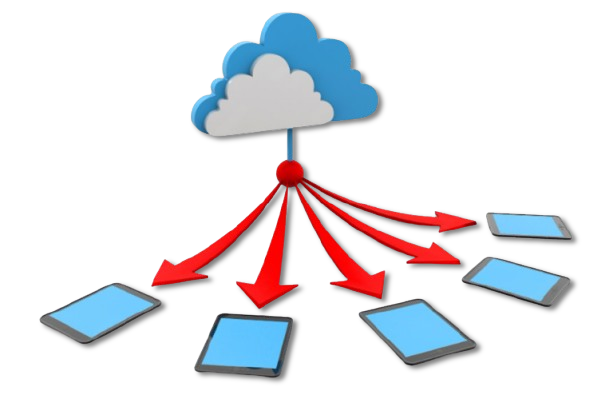
iPaaS software is a cloud infrastructure where you can connect multiple applications. These softwares provide pre-built tools and visual graphs so that even normal people who do not have technical or programming skills can create workflows to run their business. 

Many big enterprises (Finance, retail, healthcare, e-commerce) are dependent on iPaaS software for automatic data transfer and B2B integration.

Best iPaaS Software

Overall, it gives a centralized system to handle apps with different formats together, so that you don’t have to move data manually. Besides this, it reduces human errors because everything is managed by AI.


Key Features iPaaS Software Should Have

Let’s discuss some key features of the Best iPaaS Software that makes it a top choice for business management.  

  • Integrations/connectors
    To make things easier for the users, iPaaS provides pre-built connectors. These connectors are actually web applications ( like Shopify and Slack) that work together to complete a single task, ensuring that you don’t have to move data manually. Therefore, users don’t have to write code for every small or repetitive task.
  • Maps / Workflow builder 
    Workflow builder is a boon for non-technical iPaaS users as it allows them to create an automatic workflow from scratch without writing any code. It comes with a drag-and-drop tool, using which you can connect nodes or different apps and specify data flow/logic. 
  • Data mapping 
    The software connects two attributes or data fields from the source to the destination file, and this process is called mapping. This process is accompanied by data transformation, where the data structure is changed using formulas or logic. Thus, it reduces errors and boosts data management.
  • Centralized monitoring 
    iPaaS follows a structured process for identifying the error. Whenever it fails to understand the data or finds any gap, it assigns an ID to that specific area and shows a pop-up on the screen so that the user can understand the problem and resolve it quickly. This way, the user doesn’t have to check each app individually to spot the issue.

Top 10 Best iPaaS Softwares In 2026

After carefully observing the different business management needs, our team of technical experts has selected the top 10 Best iPaaS Software providers. You can read their key features, pros, and cons to choose a suitable workflow automation tool for your business.

Here are the 10 iPaaS Software for businesses:

1. Zapier

Zapier

Let’s talk about Zapier first! It’s a user-friendly iPaaS that allows retail, manufacturing and other businesses to simplify complex task handling. It connects thousands of web apps on a single platform to help non-technical users create workflows called Zaps without writing any code. To help firms focus on growth, it offers 8000+ apps and AI chatbots. 

Thus, you can automate the entire data management process and handle repetitive tasks like data entry without manual work. And if you’re a coding enthusiast, then you can use “functions” to create a personalized workflow based on the business needs.

Key Features

  • Tables: With Zapier tables, you can store and move automation data to manage information directly within the platform. This way, you won’t have to use spreadsheets.
  • Copilot: If you’re using iPaaS Software for businesses, then Copilot can help you create a rough workflow using Canva based on your prompt.
  • Path Logic: For more accurate results, you can add conditions ( e.g., yes/no) to the specific area of your workflow. 
  • Custom AI Chatbots: To save your time, you can build custom AI bots to interact with clients. It will provide instant support to the customers even when your sales team is offline.

Pros & Cons

Pros

  • AI Copilot 
  • 8K+ apps
  • Built-in tables/spreadsheets
  • Multi-step workflow

Cons

  • Too expensive for a small business.
🥺 Why This? – For automatic lead management in marketing. The leads are automatically updated in HubSpot, which further alerts the sales team and sends an email simultaneously. Zapier removes the need of a human lead manager that takes hours to complete this task.

2. Workato

Workato

Workato offers the Best iPaaS Software solutions for enterprise-level marketing and government projects. By merging integration with automation, it helps with real-time data syncing and lets you handle complex databases easily. It also provides pre-built solutions so that you can automate orders, payments, and other similar recurring tasks that consume a lot of time. 

For example, human resource management doesn’t have to set up a new hire’s email and payroll accounts, as they are automatically signed in. And if you’re into finance, it can instantly sync sales orders with accounting software to speed up the billing process.

Key Features

  • Genie integration: This AI agent allows you to automate specific roles like HR or Sales to boost business efficiency. These integrations help users to complete complex tasks faster.
  • Enterprise Workflow: Through enterprise workflow automation, you can connect end-to-end business processes across different data departments to ensure fast productivity.
  • Connector SDK: You can build your own customized connectors using the SDK documentation. Workato provides detailed instructions to build custom integrations on its official website.
  • Zero-footprint connectivity: You don’t have to install any additional software or need any physical infrastructure to manage the workflow.

Pros & Cons

Pros

  • Intelligent document processing
  • Vast industry support
  • Modern API infrastructure
  • Enterprise-grade security

Cons

  • Customization is limited.
🥺 Why This? – Logic-based database management is used by recruiters or the human resource team to hire a candidate. HRMS identifies the hired candidate and uses conditions or logic to list the name in a specific department ( example: if engineer, then create a GitHub account )

3. Boomi AtomSphere

Boomi AtomSphere

After Workato, we have Boomi Atmosphere, offering the iPaaS Software for Small Businesses. Owned by Dell, it offers a cloud platform to connect data and applications across the B2B system. For workflow automation, Boomi provides a vast integration library and advanced tools to speed up productivity. 

You can generate insights, test APIs, and synchronize data using the catalog, API management, and master hub. Other than this, it offers a runtime engine called Atom to manage multiple cloud environments smoothly. 

Key Features

  • B2B Management: This feature allows you to connect suppliers, vendors, and distributors together on a single platform for efficient business management. 
  • Boomi Atom: This runtime engine helps you connect multiple cloud environments. You can connect different atoms and deploy integrations on public or private infrastructure.
  • Master Data Hub: Master data hub synchronizes data across all systems, ensuring your business records stay consistent. It also prevents errors caused by duplicate information.
  • Data catalog: Boomi Atmosphere provides a data catalog to create valuable insights that further simplify the data sharing process.

Pros & Cons

Pros

  • Flexible pricings
  • Free trial available
  • Low-code workflow
  • Pre-built templates

Cons

  • Requires some technical skills
🥺 Why This? – For hybrid integration, where you can connect on-premise/private servers with cloud apps using Boomi Atmosphere.

4. SAP Integration Suite

SAP Integration Suite

SAP Integration Suite is an AI-assisted integration platform that helps retailers, educational institutes and other big firms to automate their entire ecosystem. Like other automation tools, SAP uses a cloud-based platform to streamline business processes, such as HR onboarding and financial approvals. With event-driven architecture and AI recommendations, it triggers actions in real-time for data mapping.

It gives more than 3,400 pre-built connectors to automate repetitive tasks quickly and reduce manual errors. Along with this, SAP lets you manage complex global operations with full security so that you can focus on other projects as well.

Key Features

  • API Management: With API management, you can publish and monitor APIs from a single dashboard. This gives you full freedom and control of data sharing with partners.
  • Event-Driven Architecture: This allows systems to react instantly to new events that are triggered by the client. It benefits businesses ( like e-commerce ) with a large client base by enabling real-time responses.
  • Pre-built Integration: Being the Best iPaaaS Softwares For Businesses, SAP offers ready-to-use connectors to complete a time-consuming process within hours.
  • AI Mapping: AI mapping specifies how different data fields should match up with each other, which simplifies the complex work to enhance productivity. 

Pros & Cons

Pros

  • 3200+ integrations
  • AI-assisted web interface
  • Integration advisor
  • Demo available

Cons

  • Inactive client support
🥺 Why This? – For trading and Fintech firms that are highly dependent on real-time event processing to deliver precise output. Mission-critical or multiple workflows where one event (Shopify triggers ERP to highlight out of stock products) changes the entire data flow.

5. MuleSoft Anypoint

MuleSoft Anypoint

MuleSoft Anypoint is another Best iPaaS Software to handle varying business needs. Its API connectivity helps IT organizations to expand their infrastructure by converting systems into reusable building blocks. Moreover, the structured network of blocks helps businesses to connect data on cloud apps from on-premises servers easily.

Besides this, it uses MuleSoft RPA and  Anypoint Compose to simplify automation of manual tasks. You can manage the entire workflow with an interactive control panel to ensure a consistent data flow.

Key Features

  • Edge Security: MuleSoft uses edge security to protect your data from hackers and cyber criminals by following strict global privacy regulations.
  • Anypoint Monitoring: This feature monitors the real-time data to identify issues within the workflow. It helps you to fix issues early before they influence the output.
  • Exchange: To deliver faster results, Anypoint Exchange provides ready-to-use assets, connector and AI agents that speed up data management.
  • MuleSoft IDP: MuleSoft IDP filters out the unstructured data from the database and converts it into useful data with the help of AI tools.

Pros & Cons

Pros

  • Runtime manager
  • Bug monitoring
  • Automatic updates
  • High security

Cons

  • Needs manual scripting.
🥺 Why This? – Healthcare organizations that need API connectivity to organize patient’s old and new records.  API (X) uses EHR ( Electronic Health Record ) software to analyze the old data. The next API (Y) combines the old, current data with billing. And the last API (Z) delivers the overall data. 

6. Tray.io

Tray.io

We found out another amazing iPaaS Software called Tray.io that offers a unified platform to connect different software stacks ( 600+ ) through AI automation. And the best part is that you can decide how you want to build the workflow, entirely by code, logic, and conditions, or just with AI. It means developers can utilize Tray Code, and normal users with no technical knowledge can use Tray Chat to create a workflow by writing a prompt. 

The Tray Build feature uses a low-code approach, meaning you don’t need coding skills or AI. In very simple words, you just need to use a drag-and-drop tool and some logic to create a visual workflow.

Key Features

  • Enterprise Core: You don’t have to worry about data security, as Tray.io offers an Enterprise Core security system that provides high-level governance to ensure that the workflow remains safe.
  • Merlin AI: It is an AI assistant that allows you to create workflows using your natural language. It’s a great tool for users with a non-technical background who can’t code.
  • Tray maps: Tray maps combine both structured and unstructured to build meaningful workflows. It first filters out the valuable data and then syncs it together. 
  • Error Handling: The automation tool prevents data loss by notifying users about the bottlenecks using “alert” pop-ups.

Pros & Cons

Pros

  • 558 connectors
  • LLM (large language models) support
  • Modern APIs
  • Merlin agent builder

Cons

  • Tutorials not available.
  • Limited connectors
🥺 Why This? – RevOps and engineering hubs with complex and large data management requirements ( automated client support, billing ) can use the hyper automation function for multiple branching.

7. Celigo

Celigo

Now, it’s time to discuss Celigo, one of the Best iPaaS Software that provides a user-friendly platform that gives an industry-wide automation solution. With over 1000 templates and AI recommendations, you can complete your tasks upto 70% faster. This is a great option for the government organizations that handle a lot of human data every day.

As Celigo iPaaS software uses a low-code approach, you don’t have to be a tech expert to create workflows. The second good thing is that you won’t find any errors in your output because AI detects all the issues at runtime and corrects them automatically. 

Key Features

  • Vast industry support: Celigo provides iPaaS software support for various industries like finance, e-commerce, IT, and RevOps to help reduce manual data management and enhance productivity.
  • Zero technical setup:You’ll get pre-prepared integrations based on your business requirements, and you don’t have to put extra effort into their setup or maintenance.
  • Celigo private cloud: Private cloud infrastructure gives full protection to businesses to avoid malware attacks and unauthorized access.
  • Data mapping: This tool allows users to link data fields with different formats to avoid incompatibility and errors during workflow automation.

Pros & Cons

Pros

  • AI-guided workflow
  • Error monitoring
  • B2B manager
  • 1000+ connectors

Cons

  • Only supports e-commerce management.
🥺 Why This? – Retailers with multiple inventories ( on Flipkart, Shopify, and Amazon ) can use Celigo. Example: When Amazon sells the last product, NetSuite updates the total stock level on other apps like Shopify and Flipkart.

8. TIBCO Software

TIBCO Software

While searching for the Best iPaaaS Softwares For Businesses, we found TIBCO. It is an enterprise-level software platform that uses MCP servers to connect external data with AI models. You can easily specify the type of workflow you need by using AI tools and visual maps to reduce manual work. Furthermore, the AI-driven insights provide useful output based on the raw data. 

As most of the online business owners aren’t aware of the technical aspects, which is why TIBCO uses a no-code approach. It allows them to design workflows visually without needing to be expert programmers. With real-time event processing, it triggers the system and moves to the next step quickly.

Key Features

  • API Hub: You can share your APIs with internal and external developers using this portal and find new ways to monetize digital assets.
  • Hybrid Deployment: TIBCO allows you to run integrations on self-hosted and cloud servers as well, which helps users to identify any data set.
  • Event-driven architecture: It monitors the whole system and triggers the workflow whenever it encounters an event ( like adding a product in a wishlist ).
  • Visual development: Visual development helps users to design a workflow as per their own needs by using connectors and drag-and-drop tools.

Pros & Cons

Pros

  • AI insights
  • Master data management
  • Robust security
  • Flexible infrastructure

Cons

  • Poor customer support
🥺 Why This? – Banking and financial firms that require real-time data and event management. iPaaS handles current transactions of multiple clients while monitoring threats, converting the currency of users living in different regions, and updating their total bank balance.

9. TeamDynamix

TeamDynamix offers a no-code platform to simplify how organizations ( IT, sales, marketing) manage projects. Being the Best iPaaS Software, its workflow automation acts like a digital assistant to handle repetitive tasks like employee onboarding. Just like other visual workflow builders, it provides a drag-and-drop tool to connect different apps.

You can reduce manual tasks and automate the flow of data and information across multiple departments, like Finance and Marketing. Furthermore, AI-powered data management minimizes human error and speeds up service delivery. 

Key Features

  • ITSM platform: To speed up IT data management, TeamDynamix offers an ITSM platform that quickly connects with the service desk tools for ticket resolution.
  • Custom connectors: Although it offers many connectors, if you don’t find a suitable one, TeamDynamix can develop one based on your business needs.
  • Interactive dashboard: The dashboard lets you manage all the apps and build a workflow from one place, saving your precious time.
  • Agile workflow: Agile method helps users to build a workflow by dividing the task into different small sections for faster delivery and error identification. 

Pros & Cons

Pros

  • Centralized dashboard
  • Agile workflow
  • Instant deployment
  • 24/7 customer support

Cons

  • Limited integrations
🥺 Why This? – To manage long-term projects in marketing, enterprise service and human resources. TeamDynamix uses an agile approach to develop workflows, which boosts business management and reduces errors.

10. SnapLogic 

SnapLogic

And the tenth Best iPaaaS Software we have is SnapLogic! This iPaaS software connects large amounts of data through pre-built connectors and an AI-powered visual interface. For automation, it uses an AI assistant called Iris that gives preferences to the users about the upcoming steps for business management. Therefore, it helps all the non-technical users to build a workflow quickly. 

SnapLogic automation software can manage everything from daily recurring tasks to big data transmission across multiple cloud environments. Therefore, it removes the hard work of coding so that businesses can focus on growth.

Key Features

  • Pipeline/Autosync:  Pipeline helps the workflow to move big data easily, making SnapLogic a good choice for high-tech and multipedia firms that deal with large databases.
  • Iris Assistant: This feature helps users speed up their business management as it automatically recommends the next step in the workflow creation.
  • Snaps: Snaps is the collection of pre-built tools and apps that handles enterprise wide automation. It connects the entire ecosystem with its database to deliver useful insights.
  • Custom solutions: Snaplogic provides customized solutions to various industries, including finance, retail, education, and IT, so that they can streamline their workflow and boost productivity.

Pros & Cons

Pros

  • AI assistant
  • Pipeline for big data movement
  • Pre-built tools
  • Strong data privacy

Cons

  • Slow data processing
🥺 Why This? – For heavy data engineering where you can connect two different nodes like Salesforce and Snowflake using drag-and-drop. Therefore, it reduces the burden of writing codes. 

How to Choose the Best iPaaS Softwares

You can’t choose any random iPaaS software without analyzing it properly, as every business has different needs. Therefore, we’ve identified some key considerations that will help you determine which type of iPaaS will simplify your business management.

  • Your business goal: First of all, you need to identify your business’s needs. For example, if you’re working for a retail or e-commerce firm, consider the steps involved in delivering an order
  • App integration: Now, you have to check the connector library of the iPaaS software. Do they provide suitable apps and APIs that can handle those steps automatically?
  • Tools / No code support: What type of tools are present for creating the workflow, like visual workflow builder, drag and drop tools, functions for scripting, and AI agents?
  • Real-time event: Check if the iPaaS software handles real-time event processing or not, because it will help you to trigger all the steps automatically.
  • Security: As each step of the workflow automation deals with a data set, it is essential to check the security and compliance tools (such as GDPR and HIPAA) so that your database remains safe from attacks.
  • Pricings: After inspecting the connectors and tools, you have to check the pricing. Is it reasonable according to the offered features or not? Besides this, if the iPaaS provider offers a demo then you can test the software before investing
  • Reviews: Visit a consumer review platform like Trustpilot and check the reviews given by the real-life customers of that iPaaS software you’re willing to buy.

Thus, by following all these steps, you can choose the Best iPaaaS Softwares For Businesses.


While choosing the right virtual call center solution is key to superior customer support in Europe, pairing it with other essential software can help streamline your operations further. Don’t miss our article on the Best Virtual Call Center Software in Europe, where we break down top Virtual call center platforms that link your support systems, analytics tools, to create a more connected and efficient support for your business.


FAQs – Best iPaaS Software

Q1: What is the best iPaaS Software?

Celigo is one of the best iPaaS software that offers pre-built automation tools for various sectors like IT, e-commerce, finance, and digital marketing.

Q2: Is MuleSoft an iPaaS tool?

Yes, MuleSoft Anypoint is an iPaaS tool that uses RPA ( Robotic Process Automation ) to automate complex and time-consuming business tasks. 

Q3: What is an example of iPaaS?

Amazon’s order management is a good example of iPaaS. When you choose a product from Amazon, it automatically creates a receipt with your address and phone number. When you check out your order, it triggers the inventory for delivery. 

Q4: Does iPaaS require coding skills?

No, iPaaS does not require coding skills. These softwares are specifically developed for non-coders who can design a business workflow using visuals and AI tools. 

Q5: What are the limitations of iPaaS?

Customization and security risks are some limitations of iPaaS. It offers pre-built templates ( used for a specific purpose ) that cannot handle diverse business needs. As it provides a single dashboard for centralized management, it can harm the entire database during virus attacks. 


Conclusion – Best iPaaS Software

The market is changing daily, as every client demands fast service. Therefore, failing to complete daily business operations quickly could result in significant losses. That’s why you should start using the best iPaaS software for your business, because it helps you complete your hour-long work in minutes without any errors.

iPaaS software is specifically designed for online business management to increase productivity. These softwares automate daily manual tasks by integrating multiple apps and systems with visual workflows, freeing up your time for more important work. That’s the reason why big companies like retail and finance use iPaas for secure workflow management. 
In this blog, we’ve listed the 10 Best iPaaaS Softwares For Businesses that support no-code workflow building. We’ve outlined the key features, benefits, and cons of each software so you can easily choose the right one for you.

Leave a Comment