

Do you know your TV remote and even ATM machines work because of an embedded code? This code interacts with the hardware to perform specific tasks, like turning on the television or moving the mouse cursor.
But many engineers face problems while developing these systems because they have to fit them into small memory. Furthermore, testing the entire code takes a lot of time, creating issues for companies that need to manufacture complex devices.
But we have a solution called AI for embedded coding, using which engineers can create sensors and doctors can build new surgical equipment quickly.
These AI tools can generate source code for multiple embedded systems, therefore, saving your time and money.
We’ve explained more about these AI tools, their benefits, and the Best AI for Embedded Coding along with their unique features and uses in this blog. So by the end, you can select a reliable AI tool for your use.
But before that, we want to explain what embedded coding really is.
What is Embedded Coding?
Embedded coding means writing a program to operate a particular device (such as a TV, ATM, mouse, or an airplane). This code interacts with the hardware through a compiler to convey messages to it about how to operate.
Their job is to connect the real world or us with the virtual world, because no device or computer can understand our natural language. However, embedded systems make this possible by converting our physical interactions into machine language.
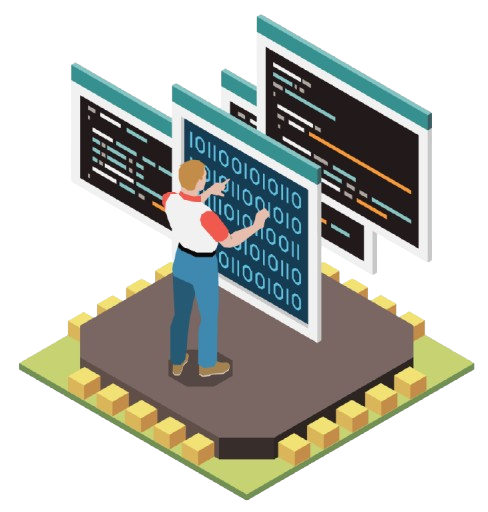
Let’s take an example. When you work on a computer and click the mouse to select a link on the screen, it quickly sends a message to the CPU with the help of embedded code.
Embedded coding isn’t just limited to mouse controls, but is also used in robotics and space stations, although it’s very expensive because new code has to be written for each system. However, AI has made this easier.
Let’s explore why we use AI for embedded coding.
Why We Use AI For Embedded Coding?
The main reason for using AI for embedded coding is speed. AI can generate hundreds of new source code for complex devices in a minute that we as a human can’t even complete in hours.
Let’s understand this in detail:
Before moving to the detailed discussion of the 10 AI model for embedded coding chosen by our team, check out our quick comparison table.
Quick Comparison Table
We’ve made this comparison table for our busy readers who don’t have enough time to go through each AI model individually. We’ve listed the core features, specific uses, customer support and pricing details of the 10 Best AI for coding here:
| AI | Best For | Core Features | Support | Pricing (Free/Paid) |
| Tabnine | Device with outdated hardware | Agentic platform, IDE integration | Ticket support | Free: Supports basic code Paid: $59/month |
| Claude Code | Electronics | Prompt caching, batch processing | Ticket & email support | Free: mobile chat onlyPaid: $17/month |
| Cursor | complex, embedded codebases | Bugbot Review, autocomplete | Community forum | Free: 2k creditsPaid: $20/month |
| Windsurf | complex embedded devices | Cascade, Windsurf editor | Email support | Free: 25 creditsPaid: $15/month |
| Aider | Chromebooks and SmartTVs | Voice to code, linting | Discord | Free: open-source modelPaid: BYOK (bring your own key) |
| Cline | fix runtime errors | Remediation, contextual understanding | Discord community support | Free: open-source extensionPaid: $20/month |
| JetBrainsAI | Enterprise Resource Planning) systems | On-the-fly Code Analysis, navigation and search | Ticket support | Free: 7 day trialPaid: $10/month |
| MATLAB | secure braking system | Optimization Toolbox, database access | Phone & ticket support | Free: 30 day trialPaid: $165/year (licensing fees) |
| NVIDIA | Robotics | JetPack SDK, production modules | 24/7 enterprise support | Free: NGC catalogPaid: $1/hour/GPU |
| GitHub | IoT device | Terminal Workflow, MCP integration | GitHub support portal | Free: 2k creditsPaid: $4/month |
10 Best AI For Embedded Coding
Now, it’s time to understand each of the AI tools in detail. Doesn’t matter you’re a engineer looking for a suitable AI to create a particular microcontroller or just an average person with new ideas but no coding knowledge, you can read our in-depth review and compare each AI tool.
1. Tabnine

Tabnine is one of the Best AI for Embedded Coding that offers unparalleled speed and security for systems with specific goals. It uses an agentic platform to suggest code and understands your entire project structure to automate complex workflows like debugging and refactoring.
It also features total code privacy and zero data retention for sensitive embedded projects so that your proprietary code is never used to train other AI models.
Tabnine offers wide industrial support in building medical devices, automotive sensors, or industrial controllers. As a developer, you can increase your productivity with this AI tool while being protected from IP and issues.
Key Features
Why Choose Tabnine?
Choose Tabnine if you want to create embedded systems for offline peripheral drivers like printers and webcams. It generates reusable code that communicates with I2C protocol and offers a secure infrastructure to protect your data.
2. Claude Code

Next, we have Claude for Embedded coding that simplifies coding by combining high-level reasoning with developer tools. It offers three AI models called Opus, for complex architecture, Sonnet for coding accuracy, and Haiku for completing tasks quickly.
Developers can use the Claude Code command-line tool to write and test code directly from their console. Along with this, it provides API references so you can customize these AI models to fit unique hardware demands.
Claude is used in many industries, like healthcare to build medical sensors and government to build secure automated public services.
Key Features
Why Choose This?
Claude AI is built with cross file awareness and unlimited memory so it can process large projects and understand different languages in the script. This allows Claude to keep the hardware stable, especially Linux based. Therefore, you can choose this AI to build Smart homes and Smart TVs.
3. Cursor

Cursor is another AI tool for embedded coding that helps developers to finish complex hardware projects quickly with the help of high-speed workflows. It features Composer, a coding model that works four times faster than typical AI models to handle multi-step tasks instantly.
And with the help of the new agent interface, you can run up to 8 AI agents together to handle different parts of your codebase, like peripheral drivers and RTOS logic.
Apart from this, Cursor’s code review allows you to see all changes across files at once so that your system remains stable.
Key Features
Why Choose Cursor?
Choose Cursor or managing complex, interconnected embedded codebases because it can edit multiple files together by indexing your entire hardware project and understands how different files connect with each other.
4. Windsurf

And now we have Windsurf that provides an intuitive AI-native editor to help you and your teammates build projects quickly. Its core feature, Cascade, is an agentic AI that examines your entire codebase to perform multiple tasks automatically.
Windows users can easily download Windsurf from its official website. Apart from this, JetBrains IDEs (Integrated Development Environment) plugin help developers to build codebases in any programming language.
Many large enterprises and government agencies are already using Windsurf AI to create secure embedded systems, and medical devices.
Key Features
Why Choose Windsurf?
Choose Windsurf to build complex embedded devices as it provides an editor that automatically suggests the next code line, allowing engineers to complete the project before deadline.
5. Aider

Aider is an open-source, terminal-based AI tool that easily pairs programs with AI models directly on your local computer. It integrates with the GitHub library, helping AI to edit your source code and automatically make changes.
It supports more than 100 languages, making it perfect for the different stacks found in embedded systems. Aider also contains linting to catch syntax errors instantly. It can automatically fix issues detected by your compilers.
Moreover, it handles complex, multi-file edits while keeping your original version.
Key Features
Why Choose Aider?
You can definitely choose the Aider AI tool if you want to build an embedded system for Chromebooks and SmartTVs, basically, all Linux devices as it supports terminal workflow, meaning you don’t need any other IDE for writing, testing, and debugging.
6. Cline

If you’re looking for the Best AI model for embedded coding that you can customize as per the needs of your hardware, then you should try Cline!
It’s an open-source AI assistant that you can use for free by bringing your own API keys. It runs directly in your terminal or as a VS Code extension, allowing you to ship code using AI models like DeepSeek.
Furthermore, Cline uses MCP (Model Context Protocol) servers to connect your AI to external tools and hardware documentation instantly. By using the Prompts Library (available on the Cline website), you can find different prompts for complex tasks or even contribute your own to help others.
Key Features
Why Choose Cline?
Cline is a good option for building robotics codes as it uses model context protocol and autonomous debugging to automatically fix runtime errors.
7. JetBrains AI

To help large enterprises build professional embedded systems, JetBrains offers a cross-platform IDE. You can easily integrate your hardware with the software because it supports various microcontrollers like STM32 and AVR.
Remote access (on-chip debugging and remote development) is one of the great features of JetBrains because it allows you to test your code directly on physical hardware from any location.
Developers can build complex devices like thermostats, drones, and robotics very fast by using smart workflows. By automating setup, JetBrains helps you to catch errors early and maintain high-quality code.
Key Features
Why Choose JetBrains AI?
Choose JetBrains AI for creating ERP (Enterprise Resource Planning) systems. It can handle massive SQL databases needed for developing professional industrial tools like screwdrivers and ratchets.
8. MATLAB & Simulink

Let’s continue our list of 10 Best AI for Embedded Coding with MATLAB! It comes with Simulink and Polyspace so you can design and verify embedded systems on a single platform.
You can automatically generate optimized C, CUDA, VHDL, and Structured Text, ensuring your code runs efficiently on any hardware. Furthermore, with in-the-loop testing, you can verify your algorithms by running them on real hardware while connected to a digital simulation.
MATLAB is a great AI tool for aerospace to build space, maritime, and RF systems. It also helps the biotech and pharma sectors develop complex algorithms and the medical industry to create surgical devices.
Key Features
Why Choose MATLAB & Simulink?
Choose MATLAB to create secure braking systems and controls in vehicles (such as cars or bikes). By using model based design, MATLAB delivers accurate code and follows international safety laws like DO-178C.
9. NVIDIA

You may have heard about NVIDIA, which provides GPUs for gaming and AI tools. But it has also extended its power to robotics. It provides a platform for building smart robots and AI-powered devices with the help of Jetson Thor. This innovation has helped engineers create advanced robots with AI features.
The readymade developer kits help you test the source code, and compact modules let you complete the final embedded system. It’s very useful because you can run complex AI models directly on small, battery-powered devices
Be it a delivery bot or a smart factory camera, NVIDIA gives you the power to process massive amounts of data instantly.
Key Features
Why Choose NVIDIA?
Choose NVIDIA for creating advanced embedded systems in drones or robots. It uses Jetson Thor and high-speed GPUs with CUDA that allows devices to handle multiple tasks simultaneously. For example, it helps drones to fly and scan the surrounding environment.
10. GitHub Copilot

Here comes the 10th AI for embedded coding, GitHub Copilot. It is a free platform that provides developers with a large library of embedded programs and enterprise-grade controls to manage AI agents.
You won’t have to hire any tech experts if you have Copilot because it arranges your local files and documentation and gives meaningful insights on the hardware layers.
Along with this, it helps developers write drivers and firmware faster while ensuring that proprietary code remains secure. All these features make it a top choice for companies who want to speed up their embedded software development.
Key Features
Why Choose GitHub Copilot?
Choose GitHub if you need pre-built libraries to complete your existing source code and develop an IoT device similar to Bluetooth, speakers and smartwatches. GitGub saves a lot of time as it avoids writing entire code from the beginning.
How to Choose the Best AI For Embedded Coding?
Choosing a reliable AI model for embedded coding is important to make sure your device doesn’t fail in future. But if you don’t know how to select the right tool don’t worry, just follow this criteria:
that follow Local LLM and zero data retention so that your personal information is not leaked anywhere, especially if you are working in any government organization.
Benefits of Using AI For Embedded Coding
So far, we’ve told you what embedded AI tools are, where they’re used, which are the 10 Best AI for coding, and how you can choose a reliable embedded tool. So, now let’s talk about their benefits, which are outlined below:
FAQ’s
1: Which AI is best for embedded coding?
Tabnine, NVIDIA, Cline and JetBrains are the best AIs for embedded coding. You can easily build embedded systems for micro sensors as well as robots using these tools.
2: Does AI provide 100% coding?
Yes, AI tools like GutHub copilot provide 100% coding. This tool gives free access to massive libraries, helping developers to build embedded systems without writing the entire code. You can take help of ready made codebases written by other developers.
3: Can AI do embedded coding?
Yes, AI can do embedded coding based on the intent of hardware. You can describe the prompt like generating a code for PIC3x in C++ using CMSIS to verify the user. You can write any simpler prompt as per your convenience.
4: Which is the strongest AI for embedded coding?
NVIDIA and MATLAB are among the strongest AI tools for embedded coding because they can fit high-level code into small memory using CUDA and model-based design. Because of their strong infrastructure, these AI tools are used in aerospace and robotics.
5: Which AI is only for coding?
GitHub Copilot, Aider, and Tabnine are some AI tools designed especially for coding. These tools are widely used by developers and engineers to build embedded systems and advanced devices like microcontrollers and smartwatches easily.
For readers interested in how AI is transforming development and security, check out our in-depth article on the Best AI Tools for Cybersecurity, where we explore top platforms that use machine learning and automation to detect threats, defend networks, and improve digital protection strategies in today’s evolving threat landscape.
Conclusion
Embedded systems are running our entire world. Be it a smartphone or an advanced rocket, you can’t use anything without the right embedded code. And as the use of technology grows, engineers are looking for easier, faster, and more cost-effective ways to build these devices.
Since these devices are used by a normal jewelry showroom for anti-lock braking systems and even by cafes to take orders from customers, their needs are huge but not everyone is able to build them.
That’s why we’ve found an AI alternative so you can build microcontrollers and embedded systems without programming, saving both money and time.
We found 10 best AI for Embedded Coding that can generate complete embedded source code from a simple prompt and debug it in real time. You can read about their features, real-life use case and starting prices in this blog to learn more about them.




Leave a Comment